
Last updated on
Nov 6, 2026

IRS 5564 1992-2026 free printable template
pdfFiller is not affiliated with IRS

Fill out
Complete the form online in a simple drag-and-drop editor.

eSign
Add your legally binding signature or send the form for signing.

Share
Share the form via a link, letting anyone fill it out from any device.

Export
Download, print, email, or move the form to your cloud storage.
Why pdfFiller is the best tool for your documents and forms


End-to-end document management
From editing and signing to collaboration and tracking, pdfFiller has everything you need to get your documents done quickly and efficiently.
Accessible from anywhere
pdfFiller is fully cloud-based. This means you can edit, sign, and share documents from anywhere using your computer, smartphone, or tablet.
Secure and compliant
pdfFiller lets you securely manage documents following global laws like ESIGN, CCPA, and GDPR. It's also HIPAA and SOC 2 compliant.
What is IRS 5564
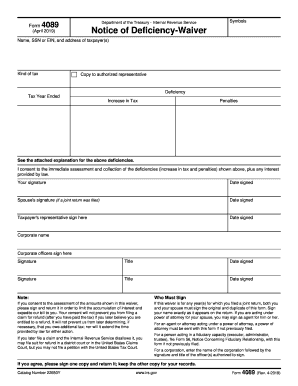
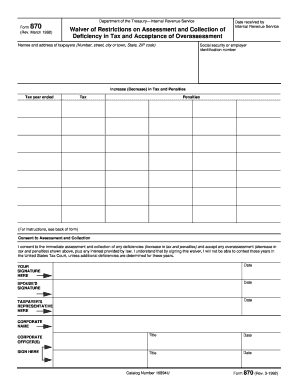
The IRS Form 5564 Waiver is a tax document used by taxpayers in the United States to consent to the immediate assessment and collection of tax deficiencies.
pdfFiller scores top ratings on review platforms




Just started using it, but so far so good. Seems to be capable of doing what I need. Thank you
Had a few problems, but overall was very great to have
Straight-forward software with useful tools. Auto-saver is great!
The PDFfiller service was very comprehensive and easy to use. I really appreciate the options for document delivery and would recommend this service to colleagues who could benefit from this service.
Easy to use
Easy to use, and love the free option if you a solo business and have only 1 form to update.
Good service
Good service, did exactly what I needed to do.
Who needs IRS 5564?
Explore how professionals across industries use pdfFiller.

IRS 5564 is needed by:
-
Taxpayers receiving a notice of deficiency
-
Authorized representatives of taxpayers
-
Tax professionals aiding clients with tax issues
-
Individuals wishing to limit tax interest charges
-
Businesses facing tax deficiencies
-
Accountants handling client tax waivers
Comprehensive Guide to IRS 5564
What is the IRS Form 5564 Waiver?
The IRS Form 5564 Waiver is a crucial document for taxpayers in the United States, allowing them to consent to the immediate assessment of tax deficiencies indicated in a notice of deficiency. This IRS waiver form plays a significant role in expediting tax resolution by limiting potential interest charges associated with unresolved tax debts. Originally revised in June 1992, the form requires determination of the taxpayer's agreement with the IRS findings.
-
Definition: IRS Form 5564 Waiver is a consent form for tax deficiency assessments.
-
Purpose: It allows taxpayers to expedite the assessment and collection of agreed-upon tax deficiencies.
-
History: Last revised in June 1992, indicating its long-standing use.
Purpose and Benefits of the IRS Form 5564 Waiver
Taxpayers utilize IRS Form 5564 Waiver primarily to consent to tax deficiencies, significantly reducing potential interest charges while speeding up the tax settlement process. Choosing to submit this form rather than contesting the IRS tax notice offers several advantages, including quicker resolutions and less administrative burden.
-
Limits interest charges associated with pending tax deficiencies.
-
Facilitates a faster resolution process for tax matters.
-
Reduces the stress of contesting IRS notices.
Who Needs the IRS Form 5564 Waiver?
The IRS Form 5564 Waiver is essential for various parties, especially those who have received an IRS notice of deficiency. This form is also pertinent for authorized representatives acting on behalf of taxpayers, streamlining their ability to address tax matters efficiently. Specific scenarios where this waiver is beneficial include instances of clear agreement with IRS findings or limited time to address tax deficiencies.
-
Taxpayers with a received notice of deficiency.
-
Authorized representatives acting for taxpayers.
-
Situations where timely tax resolution is critical.
Filling Out the IRS Form 5564 Waiver: Step-by-Step Guide
Completing the IRS Form 5564 Waiver involves several key steps. Taxpayers must accurately provide their information and ensure all required fields are filled out for proper processing. This guide outlines the essential elements to avoid common errors during submission.
-
Gather taxpayer information including name, address, and identification number.
-
Fill out designated signature lines for the taxpayer and authorized representatives.
-
Review the completed form for accuracy before submission.
Submission of the IRS Form 5564 Waiver
After completing the IRS Form 5564 Waiver, it's crucial to follow proper submission methods to ensure prompt processing. Taxpayers can submit the form electronically or via traditional mail, depending on preferences or requirements from the IRS.
-
Methods: Online/electronic submission or postal mail.
-
Documents: Include any necessary supporting documents for successful submission.
-
Deadlines: Be aware of any pressing deadlines to avoid penalties.
Security and Compliance for the IRS Form 5564 Waiver
When handling sensitive information through the IRS Form 5564 Waiver, security is paramount. pdfFiller adheres to strict compliance protocols, ensuring personal data protection throughout the form-filling process, which is essential for maintaining privacy during tax procedures.
-
Encryption: pdfFiller employs 256-bit encryption to protect user data.
-
Compliance: Adheres to SOC 2, HIPAA, and GDPR standards.
-
Storage Tips: Recommendations for securely keeping completed forms post-submission.
What Happens After You Submit the IRS Form 5564 Waiver?
Once the IRS Form 5564 Waiver is submitted, taxpayers can expect a defined process surrounding their application. Understanding how to track submission status and respond to any potential rejections is crucial for ensuring compliance and finalizing tax issues efficiently.
-
Expectations: Overview of what to anticipate post-submission.
-
Tracking: Methods for checking application status after submission.
-
Corrections: Steps to take if the form is rejected and how to rectify mistakes.
Why Use pdfFiller for Your IRS Form 5564 Waiver?
pdfFiller enhances the experience of filling out the IRS Form 5564 Waiver through its extensive capabilities. Users can seamlessly edit, fill, and eSign their forms in a secure cloud environment, making tax-related processes simpler and more efficient.
-
Tools: Access to advanced tools for easy form completion and electronic signatures.
-
Templates: Availability of customizable templates for a tailored experience.
-
User-Friendly: A straightforward interface designed for ease of use.
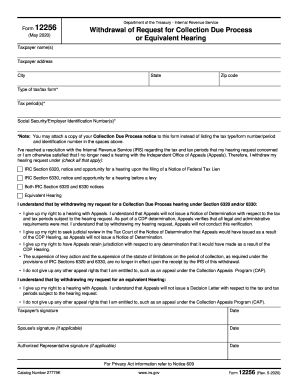
Sample of a Completed IRS Form 5564 Waiver
Providing a visual reference, the sample of a completed IRS Form 5564 Waiver serves as a practical guide for taxpayers. Understanding each filled section helps ensure accuracy in their forms.
-
Example: Visual reference of an appropriately filled-out IRS Form 5564 Waiver.
-
Section Breakdown: Explanation of each part of the form based on the sample.
-
Accuracy Tips: Recommendations for maintaining correctness when completing the form.
Get Started with the IRS Form 5564 Waiver Today
Taxpayers are encouraged to leverage the efficiency of pdfFiller for completing their IRS Form 5564 Waiver accurately. The user-friendly platform simplifies the entire process, facilitating timely submission and resolution of tax matters.
-
Importance: Recap of why correct completion is vital.
-
Accessibility: Emphasis on the ease of using pdfFiller.
-
Action: Prompt users to begin the form-filling process online today.
How to Fill Out Small Business Tax Forms Online with pdfFiller
Struggling with your Schedule C or not sure how to file business taxes as a sole proprietor, LLC, or self-employed professional? This step-by-step pdfFiller tutorial walks you through completing IRS Schedule C quickly and accurately — no printing, no scanning, no stress. Whether you're handling small business tax deductions, tracking self-employed taxes, or preparing your full business tax return, pdfFiller makes it simple right in your browser.

How to fill out the IRS 5564
-
1.Access pdfFiller and search for 'IRS Form 5564 Waiver' in the template library to find the form.
-
2.Open the form in the pdfFiller interface to begin filling it out.
-
3.Before starting, gather necessary information such as personal details and any related IRS notices of deficiency.
-
4.Begin entering your personal information in the designated fields, ensuring accuracy and completeness.
-
5.Use the checkboxes and signature sections to indicate agreements where required.
-
6.Once all fields are completed, review your entries to confirm that information matches your IRS documentation.
-
7.Make sure all required signatures are provided, ensuring both taxpayer and authorized representative are included.
-
8.After reviewing, you can save the form within pdfFiller for later access or download the completed document.
-
9.To finalize, either submit the form electronically through pdfFiller if available or download and print it for mailing.

Who is eligible to use IRS Form 5564?
Any taxpayer who has received a notice of deficiency from the IRS and agrees with the proposed tax deficiencies can use Form 5564. Authorized representatives acting on behalf of the taxpayer may also utilize this form.
What is the deadline for submitting Form 5564?
There is no specific deadline for submitting IRS Form 5564; however, it should be submitted promptly upon receipt of the notice of deficiency to limit potential interest charges.
How can I submit IRS Form 5564?
Submit Form 5564 by mailing it to the address indicated in the notice of deficiency. Alternatively, if using electronic submission through pdfFiller, ensure you follow their submission process.
What supporting documents do I need for Form 5564?
Supporting documentation typically includes the IRS notice of deficiency and any financial documents relevant to your tax situation. Ensure to have accurate information ready for the form.
What common mistakes should I avoid when filling out Form 5564?
Common mistakes include forgetting to sign the form, not including all necessary information, or submitting the form late without understanding the impact on interest charges.
How long does processing take for Form 5564?
Processing times can vary, but it generally takes several weeks to receive a confirmation from the IRS after submitting Form 5564. Check the IRS website for updates or contact them directly.
What are the implications of signing Form 5564?
Signing Form 5564 constitutes an irrevocable agreement to the tax deficiencies asserted by the IRS. This means you cannot dispute these deficiencies after submission.
Related Forms

Get the latest insights from our blog


If you believe that this page should be taken down, please follow our DMCA take down process
here
.
This form may include fields for payment information. Data entered in these fields is not covered by PCI DSS compliance.